Business owner at a storefront entrance before opening, representing the first workflow review moment.
Built for operations-heavy businesses where follow-up, approvals, and exceptions cannot live in someone's inbox.
Pulse Business AI

Automate follow-up, prepare decisions, and keep control of daily operations.

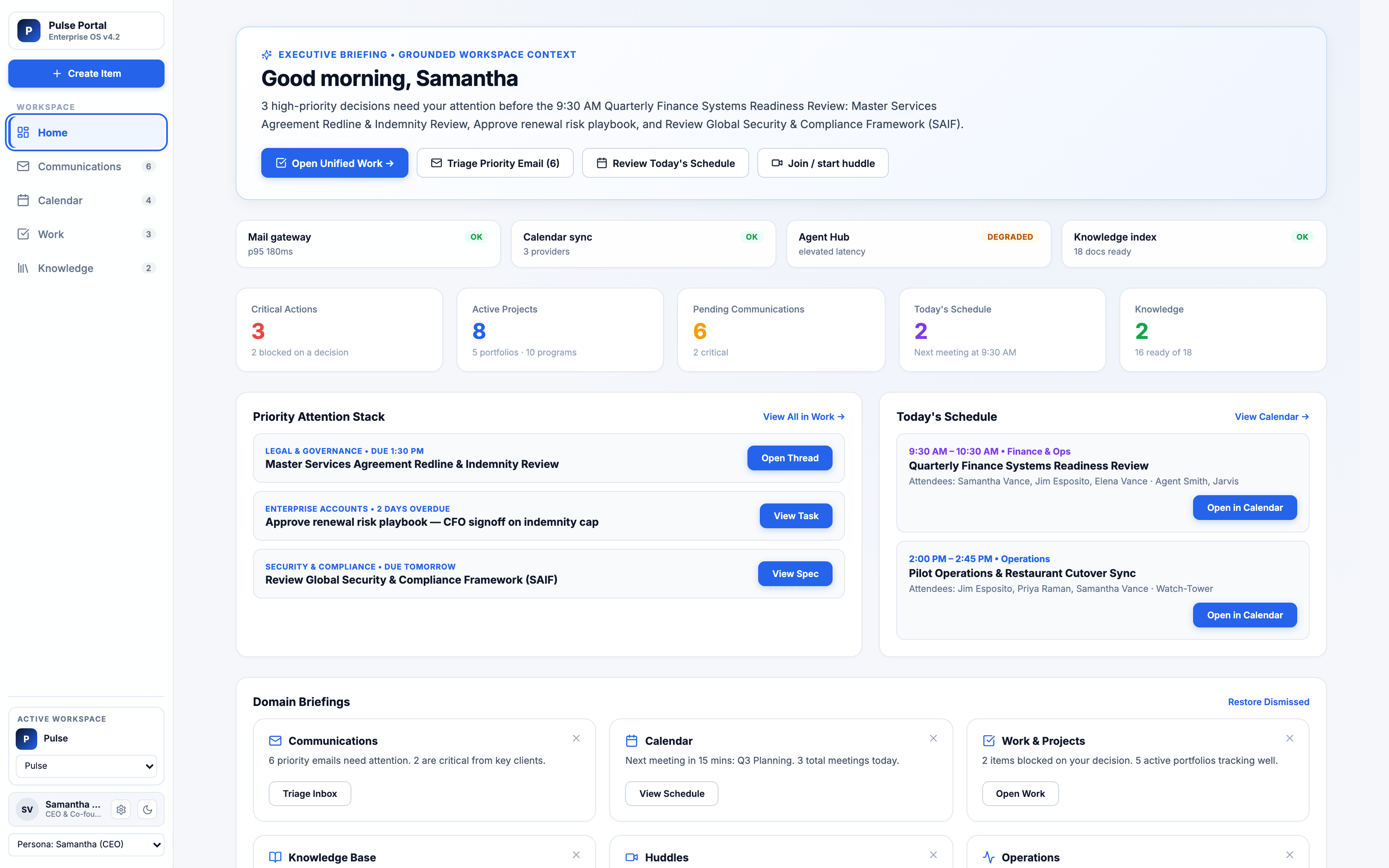
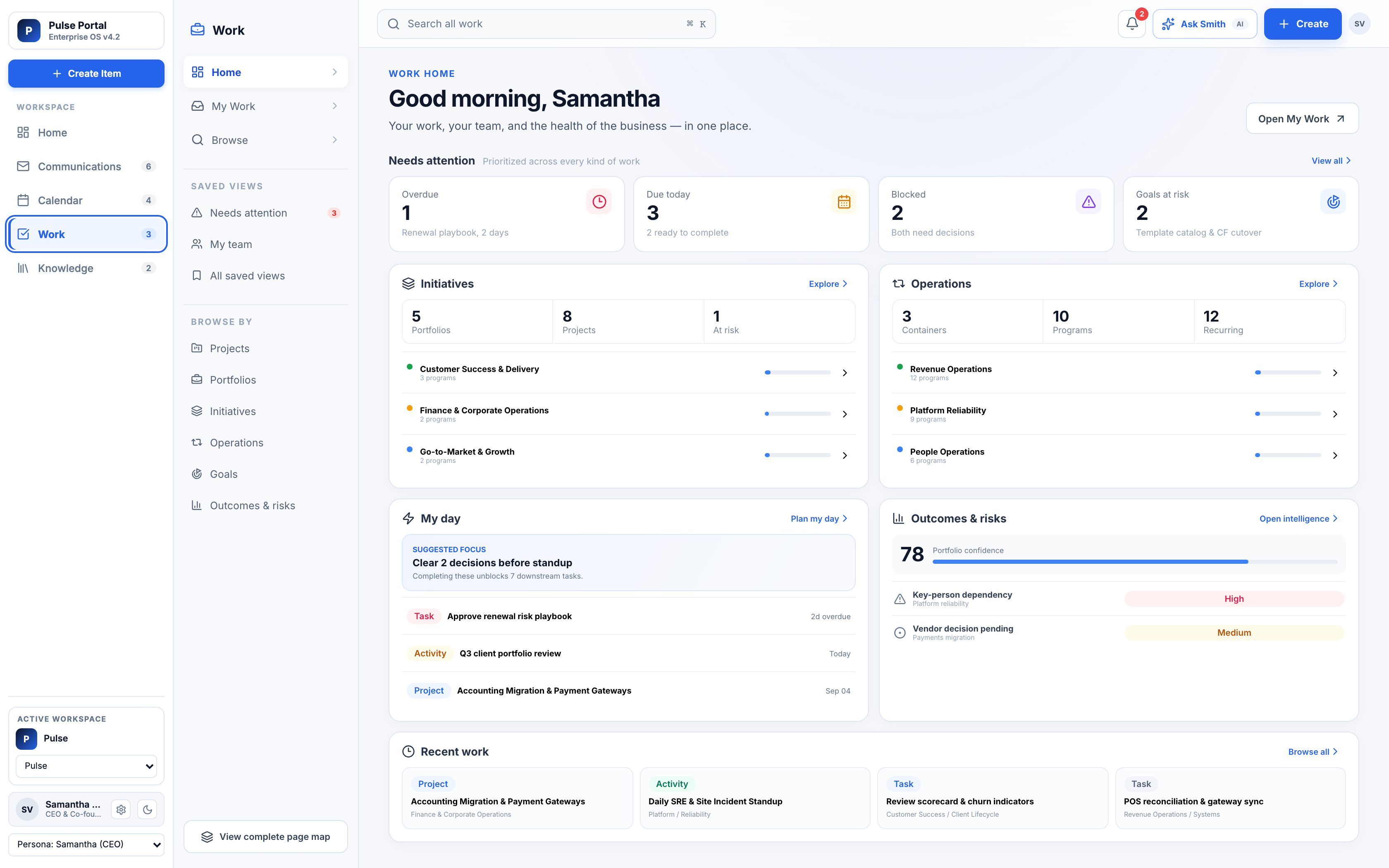
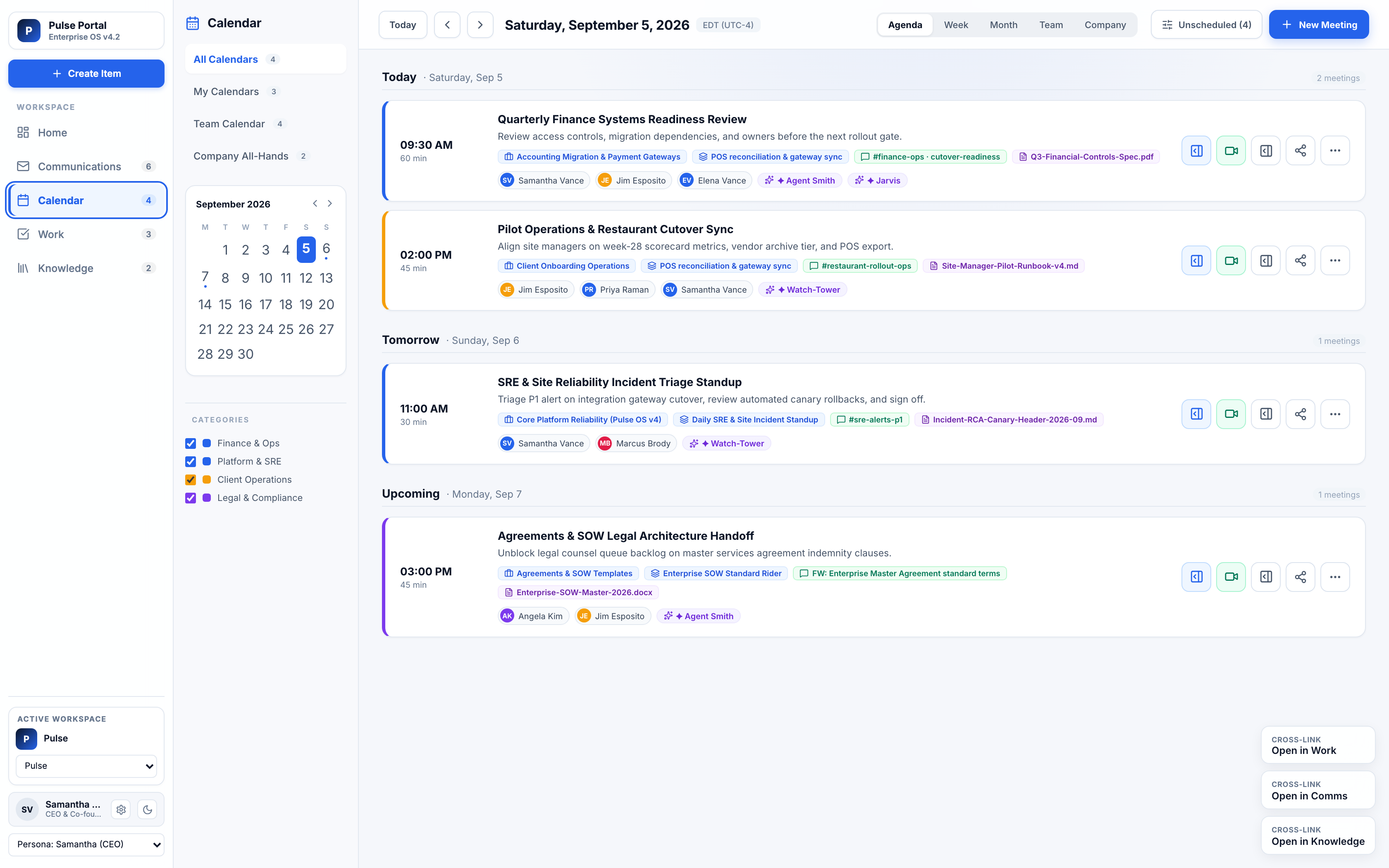
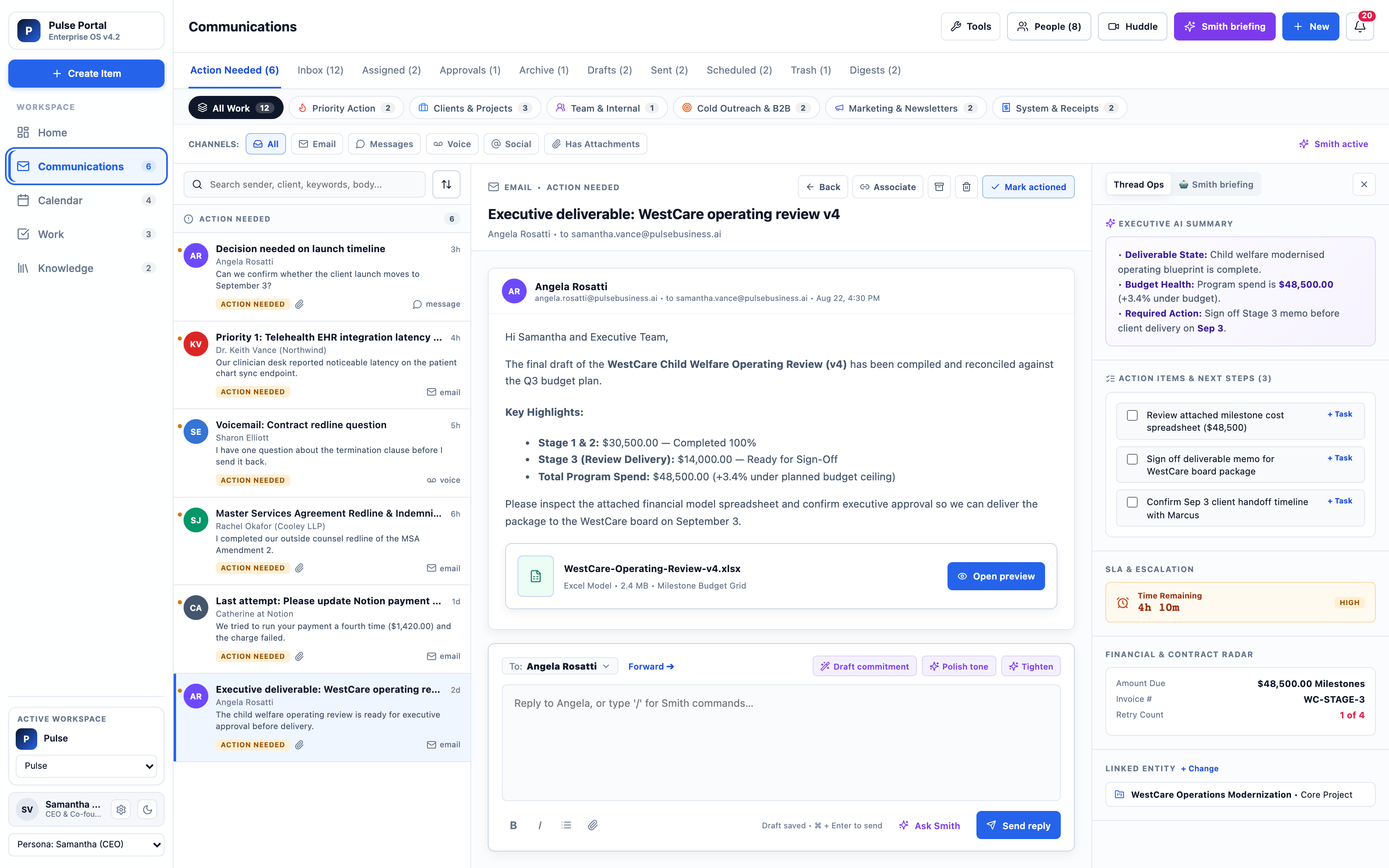
Pulse turns scattered notes, messages, meetings, and system updates into prepared briefs, assigned next steps, and reviewable actions across your business.

  1. Follow-up prepared
  2. Decision context ready
  3. Owner assigned
  4. Manager review visible
Where to start

See what Pulse can automate

Use the homepage to choose the first path by buyer, department, product artifact, proof standard, and source boundary before starting a broader AI project.

Artifact

Pulse path selector with buyer, department owner, product route, first workflow, expected artifact, and review boundary.

Best first workflow

A repeated handoff where a department owns the pain and an executive sponsor can approve the first source boundary.

Not for

Generic AI shopping, ownerless automation ideas, unverified proof claims, or replacing systems of record.

Useful context

Share the department, current tools, source material, reviewer, desired artifact, timeline, and decision owner.

See it in action

Watch the completed Pulse explainer.

A concise narrated walkthrough explains what Pulse does, why scattered work breaks execution, where it can run, and how a first engagement starts.

A concise walkthrough of the Pulse service model.
Pulse service directory

Choose the Pulse path that fits the work you need to control.

Start by choosing the operating problem, industry, or technical need. Each path leads to a concrete artifact your team can inspect before buying or expanding scope.

I know my industryI know my business problemI know my technical need
Operations lead reviewing Business OS briefs and internal work queues.

Business OS

Approved internal AI work, operating briefs, owner updates, and project visibility without losing review control.

Proof: Assistant Card and Active Work Queue.

Open Business OS
Scoped connector access path with source pipes, a review valve, and an endpoint.

Business Connectors

Scoped source access for approved AI clients, with token scope, revocation, and audit posture visible.

Proof: Connector Setup Strip.

Review connector setup
Consulting reviewers mapping an AI opportunity plan on a glass board.

Consulting / AI Opportunity Review

Rank where AI will pay off before committing to tools, builds, or automation projects.

Proof: AI Opportunity Map.

Review opportunity path
Restaurant service context before a manager control brief is reviewed.

Restaurant OS

Manager-ready briefs for guest recovery, vendor exceptions, staffing reminders, and daily controls.

Proof: 7 AM Manager Brief.

See Restaurant OS
Field service technician and dispatch tablet before a job packet review.

Field Service OS

Dispatch packets that put access notes, technician context, closeout, and customer follow-up in one place.

Proof: Dispatch Packet.

See Field Service OS
Medical administration desk for scheduling, intake, referrals, and staff follow-up.

Medical Administration OS

Admin-safe briefs for scheduling, intake, referrals, reminders, and staff follow-up without crossing clinical lines.

Proof: Admin-Safe Brief.

See Medical Admin OS
What Pulse helps you control

Keep daily work moving with prepared context, owners, and review points.

Pulse focuses on practical operating outcomes before technology details: follow-up, decisions, research, projects, controls, and consistency.

01

Automate follow-up

Turn loose ends from calls, meetings, service visits, messages, shifts, tickets, and requests into draft updates, reminders, assigned next steps, or review tasks.

  • Fewer forgotten tasks
  • Less manual chasing
  • Faster internal and customer response
02

Prepare decisions

Gather the context an owner, manager, dispatcher, administrator, or executive needs before acting.

  • Less digging
  • Clearer approvals
  • Better exception handling
03

Research faster

Summarize relevant notes, documents, messages, records, prior decisions, and source context.

  • Less searching
  • Fewer repeated questions
  • More useful business knowledge
04

Plan and manage projects

Turn goals, ideas, requests, and issues into owners, timelines, blockers, next steps, and status summaries.

  • Fewer status meetings
  • Clearer delegation
  • Better project visibility
05

Strengthen controls

Keep approvals, exceptions, boundaries, review points, and operating rules visible.

  • Safer AI use
  • Clear escalation paths
  • Better manager oversight
06

Standardize execution

Help teams and locations handle repeat work more consistently.

  • Fewer one-off processes
  • Cleaner repeatable rhythms
  • More consistent follow-up
Daily Pulse

A simple cadence for what needs attention now.

The Daily Pulse gives owners and managers a memorable way to review open work without digging through every system.

Morning

Morning Pulse

What needs attention today.

  • Open follow-ups
  • Owner decisions
  • Customer and vendor issues
  • Project blockers
  • Location exceptions
Midday

Midday Pulse

What changed or needs review.

  • Delayed items
  • Unresolved questions
  • Missed approvals
  • Draft responses
  • Items waiting on a manager
Closing

Closing Pulse

What remains open.

  • Completed actions
  • Tomorrow's follow-ups
  • Aging exceptions
  • Review notes
  • Owner summary
Example artifact

Operating Brief: context, next step, owner, and control point.

A useful Pulse output is not just an answer. It shows what the answer is based on, what still needs review, who owns the next step, and where the action should land.

Source boundary
Meeting note, inbox item, queue export, or approved connector source.
Human owner
Named manager, operator, administrator, or technical reviewer.
Control point
Draft, decision, escalation, send, record change, or source expansion.
How to think about Pulse

From scattered work to the right service path.

Start with the business problem, not a product feature. Pulse helps decide whether the work needs consulting, connected systems, workflow automation, or an industry operating system.

Before

Disconnected work

Owners chase updates across meetings, messages, files, spreadsheets, and systems while the next step stays unclear.

After

Reviewed next step

The right Pulse service connects the source, owner, review rule, delivery surface, and outcome the business can act on.

Source

Name the systems, files, messages, and examples the selected service path can use.

Owner

Assign the person who approves the route, review rule, and next step.

Boundary

State what Pulse can prepare, what it must stop, and when a human decides.

Reviewed output

Pick the brief, connector strip, admin handoff, or consulting plan the team can inspect.

Governance and source confidence

Pulse shows what an answer is based on and what still needs manager review.

Governance is part of the product story, not a buried policy page. Pulse should make source boundaries, freshness, agreement, and review points visible before teams act.

Source freshness

Show whether the source context is current enough for the decision or follow-up.

Signal agreement

Separate answers supported by multiple sources from answers based on one weak or conflicting signal.

Historical accuracy

Treat prior outcomes and known patterns as context, not unsupported performance claims.

Scope completeness

Flag missing systems, records, people, or approvals before output is trusted.

Named reviewer

Keep customer-impacting, financial, policy, clinical, and source-expansion decisions with named people.

Examples to review together

Proof-safe examples show useful artifacts, not inflated claims.

Pulse is pre-launch, so public proof should be sample, mock, redacted, or customer-approved. The useful signal is the artifact: source context, owner, next step, review boundary, and the action that remains human-owned.

Proof card showing a sample owner brief with source labels and review status.
Sample brief

A prepared owner summary with source labels, open questions, and review status.

Proof card showing a sample setup artifact prepared for team review.
Setup artifact

A connector strip, assistant card, dispatch packet, admin brief, or opportunity map the team can inspect.

Proof card showing the visitor's next decision: choose a path or send one business problem.
Next decision

What the visitor should do next: choose a Pulse path or send one business problem.

Subtle dark grid texture forming a quiet backdrop for the control matrix.
What stays reviewed

Why Pulse is different from a chatbot, dashboard, or automation agency.

Pulse organizes scattered business activity into prepared actions with source boundaries and review points. It does not ask teams to trust a black-box answer or hand off sensitive decisions to unchecked automation.

Not a chatbot

Pulse turns business context into artifacts with source context, owner, next step, and review boundary.

Not just a dashboard

Pulse is meant to prepare follow-up and decisions, not only display another status view.

Not generic automation

Sensitive sends, spend, policy, medical, customer, and source-expansion decisions stay with people.

Built for control

Every path is framed around sources, reviewers, stopped actions, and the artifact your team can inspect.

Next steps

Choose the next useful action

Two coworkers at a whiteboard mapping the handoff.Browse service pathsCompare consulting, connectors, Business OS, and industry systems before going deeper.Review Service Paths
Buyer clarity

Pulse Business AI buying questions answered in one place.

Use this section to confirm fit, expected deliverable, proof standard, existing-tool fit, and what remains human-owned.

Buying snapshot

Pulse Business AI: what a buyer should know before contacting Pulse.

A concise buying frame keeps the page tied to fit, artifact, scope, timeline, and accountable review before the next conversation.

Best forBuyer

Founders, owners, executives, and department owners choosing the right Pulse path.

Start withFirst use case

One repeated handoff where follow-up, decision context, source ownership, or review control keeps slipping.

You receiveArtifact

A path recommendation, operating brief shape, source boundary, review owner, and next-step artifact to inspect.

What to sendInput

Business problem, current tools, affected department, desired artifact, timeline pressure, and the person who owns the decision.

Human-ownedDecisions

Spend, policy, clinical, customer-impacting decisions, source expansion, and external sends stay with named reviewers.

TimelineTypical first step

A first planning pass starts from one safe example; pilot timing depends on source readiness, reviewers, and delivery surface.

Pricing scopeDrivers

Workflow count, source systems, reviewer count, risk level, integrations, rollout support, and proof requirements.

Proof-safe example

Inspect the artifact before trusting the claim.

Pulse proof should start with redacted or sample source material, a concrete artifact, and the human decision that remains outside automation.

InputSafe example

A redacted business problem with notes, messages, queue exports, or meeting context.

ArtifactPrepared output

Operating brief or path selector with source, owner, boundary, next step, and review status.

ReviewWhat people decide

The sponsor decides whether the work belongs in Business OS, connectors, an industry OS, or consulting.

Existing-tool fit

Pulse works around the systems you already use.

The practical question is what stays in the current system, what Pulse drafts for owner review, and where automation must stop.

KeepExisting tools

Keep existing systems for records, transactions, schedules, finance, clinical systems, POS, FSM, CRM, and approvals.

Use Pulse forReviewed handoffs

Use Pulse to prepare context, route handoffs, show source boundaries, and make reviewed next steps easier to act on.

Do not use Pulse forBoundary

Do not treat Pulse as a system-of-record replacement or unchecked automation layer.

Business owner at the doorway after the first workflow route has been chosen.
Next step

Start with one business problem that keeps slipping.

Pulse will help decide whether the next step is Business OS, Business Connectors, AI Opportunity Review, Consulting / Managed Services, or an industry-specific operating path.